Въведение
Welcome to the instruction manual for your Dubstep Buzz X8 Wireless Earbuds. These earbuds are designed to provide a high-quality audio experience with advanced features. This manual will guide you through the setup, operation, and maintenance of your device.
Какво има в кутията
Пакетът съдържа следните елементи:
- Безжични слушалки
- Калъф за безжично зареждане
- Кабел Type-C
- Ръководство за потребителя
- Възглавнички за уши (различни размери)

Image: Contents of the Dubstep Buzz X8 Earbuds box, showing the earbuds, charging case, Type-C charging cable, and additional ear cushions.
Продуктът е свършилview
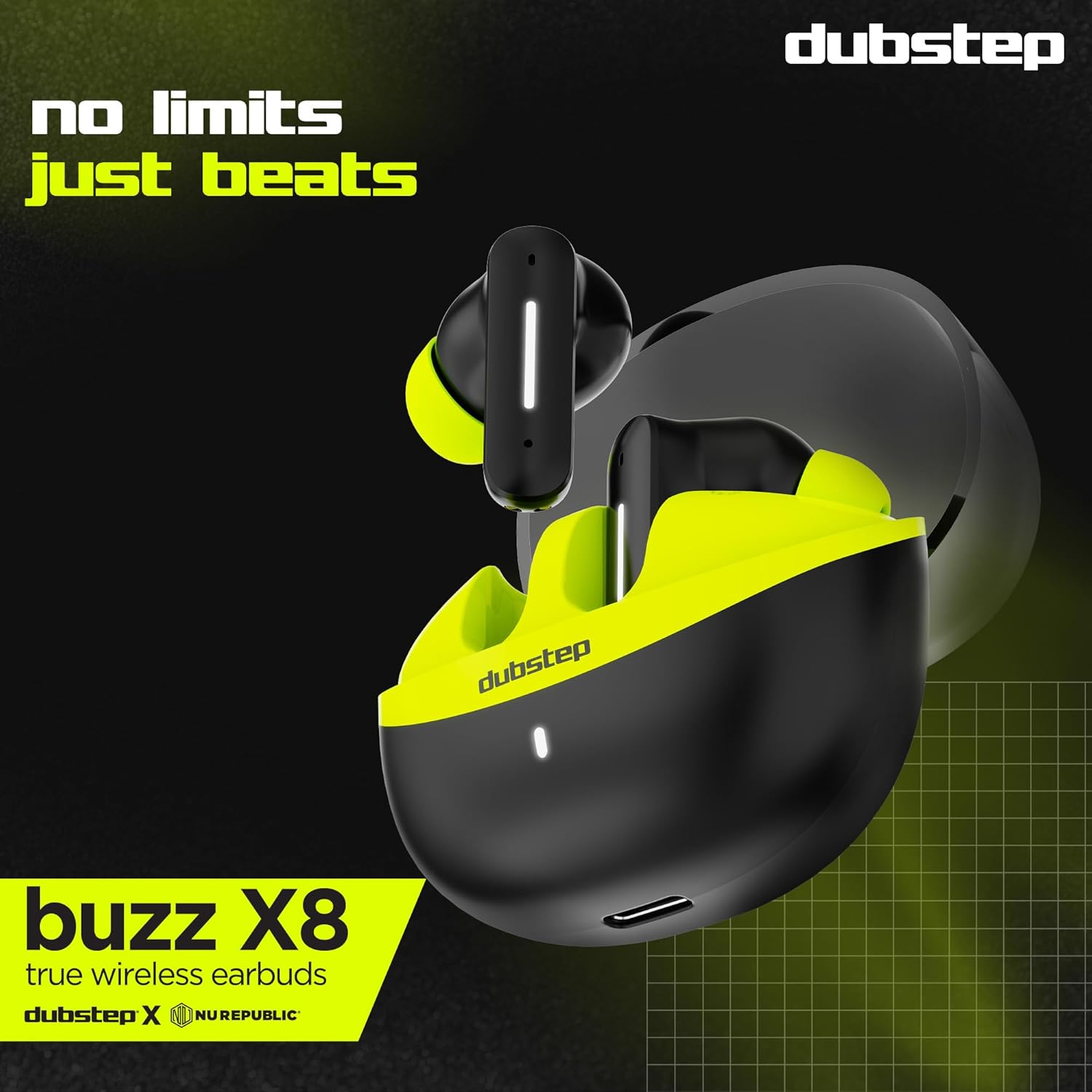
The Dubstep Buzz X8 Wireless Earbuds feature a sleek design and are equipped with 13mm dynamic drivers for powerful sound. The charging case provides extended battery life and convenient storage.

Image: Dubstep Buzz X8 Wireless Earbuds in Neon Green, placed within their open charging case.
Компоненти на слушалките
- Зона за управление с докосване: За управление на възпроизвеждането, повикванията и гласовия асистент.
- Микрофони: Dual microphones with Environmental Noise Cancellation (ENC) for clear calls.
- Съвети за уши: Silicone ear tips for a comfortable and secure fit.
Изображение: Подробно view of the earbuds and charging case, illustrating their internal and external features.
Настройка
1. Зареждане на слушалките и калъфа
Before first use, fully charge the earbuds and the charging case. Connect the provided Type-C cable to the charging port on the case and a compatible USB power source. The LED indicator on the case will show charging status.
- A 15-minute quick charge provides approximately 200 minutes of playtime.
- Total playtime with the charging case is up to 56 hours.
- Earbuds provide 7 hours of continuous music playback on a single charge.

Image: The charging case of the Dubstep Buzz X8 earbuds connected to a Type-C cable for charging.
2. Сдвояване с вашето устройство
- Отворете кутията за зареждане. Слушалките автоматично ще влязат в режим на сдвояване.
- На вашето устройство (смартфон, таблет, лаптоп) активирайте Bluetooth.
- Търсене на "Dubstep Buzz X8" in the list of available Bluetooth devices.
- Select "Dubstep Buzz X8" to connect. Once connected, you will hear an audio prompt.
- The earbuds feature Bluetooth v5.3 for stable and efficient wireless connectivity.

Image: A smartphone displaying the Bluetooth connection screen, showing the Dubstep Buzz X8 earbuds successfully paired.
Инструкция за работа
Докоснете контроли
The Dubstep Buzz X8 earbuds feature intuitive touch controls on each earbud. Refer to the following table for common functions:
| Действие | функция |
|---|---|
| Едно докосване | Пускане/Пауза на музика, Отговаряне/Край на повикване |
| Двойно докосване | Увеличаване на звука (+) / Намаляване на звука (-) |
| Тройно докосване | Предишен запис / Следващ запис |
| Продължително натискане | Активиране/деактивиране на Гласов асистент |
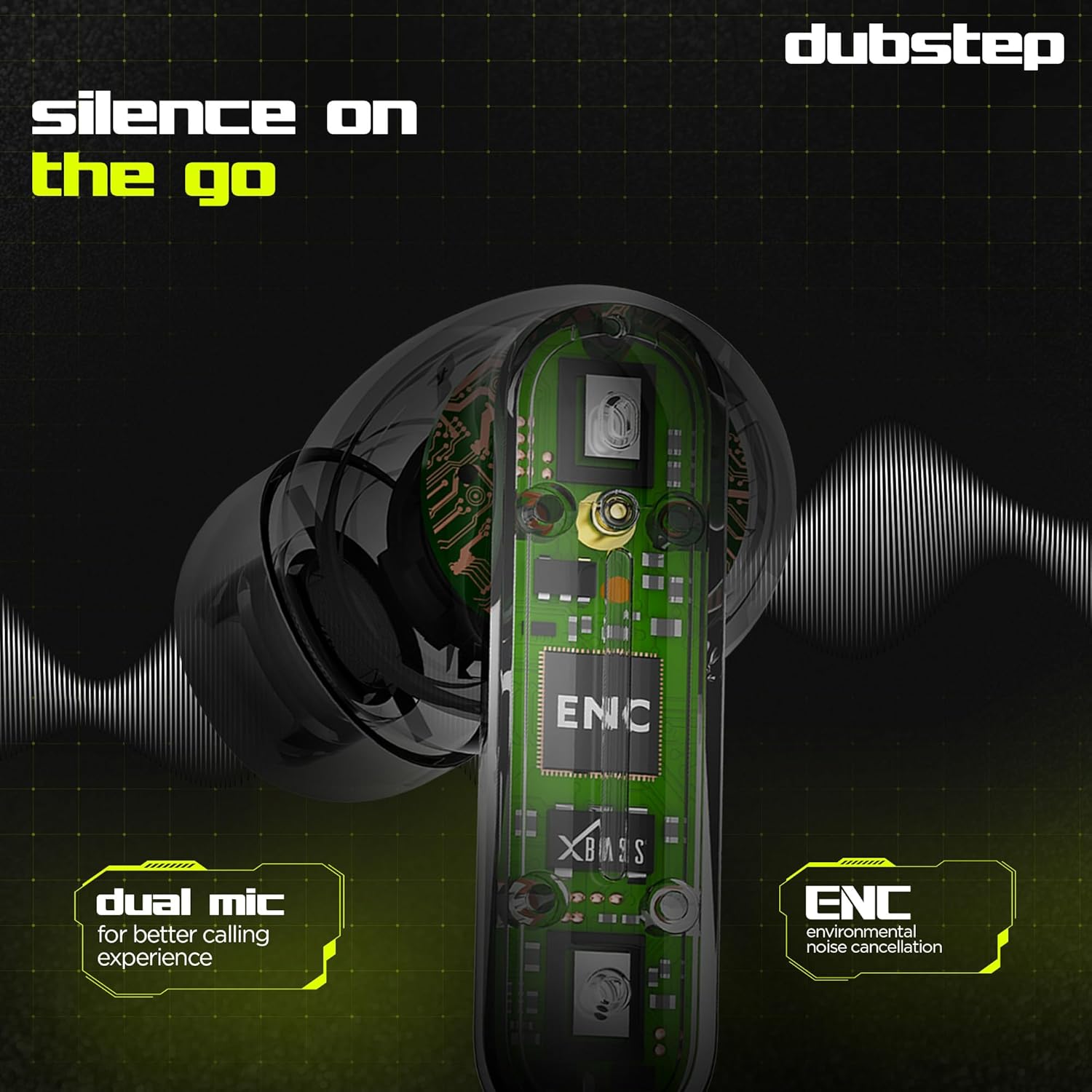
Image: Visual guide to the touch control gestures on the earbuds and their corresponding functions.
Потискане на шума от околната среда (ENC)
The earbuds are equipped with ENC technology and dual microphones to reduce ambient noise during calls, ensuring clear communication.

Изображение: Вътрешен view of the earbud highlighting the ENC technology and dual microphone system.
Поддръжка
To ensure the longevity and optimal performance of your Dubstep Buzz X8 Wireless Earbuds, follow these maintenance guidelines:
- Почистване: Редовно почиствайте слушалките и кутията за зареждане с мека, суха кърпа без власинки. Не използвайте агресивни химикали или абразивни материали.
- Съвети за уши: Периодично сваляйте и почиствайте накрайниците за уши с вода и мек сапун, след което ги подсушете добре, преди да ги поставите отново.
- Водоустойчивост: The earbuds are splash and sweat resistant, making them suitable for workouts. However, they are not waterproof. Avoid submerging them in water.
- Съхранение: Когато не се използват, съхранявайте слушалките в калъфа им за зареждане, за да ги предпазите и да ги поддържате заредени.
- температура: Избягвайте излагането на слушалките на екстремни температури (високи или ниски) или пряка слънчева светлина за продължителни периоди.
Отстраняване на неизправности
If you encounter issues with your Dubstep Buzz X8 Wireless Earbuds, refer to the following common solutions:
| проблем | Решение |
|---|---|
| Слушалките не се сдвояват | Уверете се, че слушалките са заредени. Изключете и включете Bluetooth на устройството си. Поставете слушалките обратно в калъфа, затворете ги и ги отворете отново, за да влезете отново в режим на сдвояване. |
| Няма звук от една слушалка | Check battery level of both earbuds. Try re-pairing the earbuds with your device. Clean earbud mesh for any blockages. |
| Нисък обем | Adjust volume on both your device and the earbuds. Ensure ear tips provide a good seal. |
| Калъфът за зареждане не се зарежда | Verify the Type-C cable is properly connected to both the case and the power source. Try a different cable or power adapter. |
| Гласовият асистент не отговаря | Ensure the earbuds are connected to your device. Check your device's settings for voice assistant activation. Perform a long press on the earbud touch area. |
Спецификации
| Характеристика | детайл |
|---|---|
| Име на модела | Buzz X8 |
| Технология за свързване | Bluetooth 5.3 |
| Размер на аудио драйвера | 13 милиметра |
| Общо време за игра | До 56 часа (с калъф за зареждане) |
| Време за възпроизвеждане на слушалки (с едно зареждане) | 7 XNUMX часа |
| Време на готовност | 320 XNUMX часа |
| Бързо зареждане | 15 минути зареждане = 200 минути време за възпроизвеждане |
| Порт за зареждане | Тип-C |
| Контрол на шума | Потискане на шума от околната среда (ENC) |
| Микрофони | Система с двоен микрофон |
| Тип контрол | Touch Control, Voice Assistant |
| Ниво на водоустойчивост | Splash and Sweat Resistant |
| Тегло на артикула | 40 грама |
| Размери на продукта | 3.5 х 2.5 х 4.5 см |
Гаранция и поддръжка
Your Dubstep Buzz X8 Wireless Earbuds come with a standard brand warranty. For detailed warranty information, troubleshooting guides, and further support, please visit the official user manuals page:


