1. Въведение
The Innex DS200 is a professional USB book scanner designed for efficient digitization of various documents, including books, magazines, and loose papers. It features a 26MP camera, A3 scanning capability, and advanced software functions to enhance scanning quality and workflow. This manual provides detailed instructions for setting up, operating, and maintaining your DS200 scanner.

Figure 1.1: Innex DS200 Scanner in operation with an open book.
2. Съдържание на пакета
Проверете дали всички изброени по-долу артикули са включени в пакета ви. Ако някои от артикулите липсват или са повредени, моля, свържете се с отдела за обслужване на клиенти.
- Innex DS200 Scanner Unit
- Подложка за сканиране
- USB кабел
- Захранващ адаптер (тип A)
- Power Plugs (Type C, Type G)
- Бутон за ръка
- Крачен педал
- Adapter (USB-C to USB-A)
- Ръководство за бърз старт
- Сервизна карта
- GPSR декларация
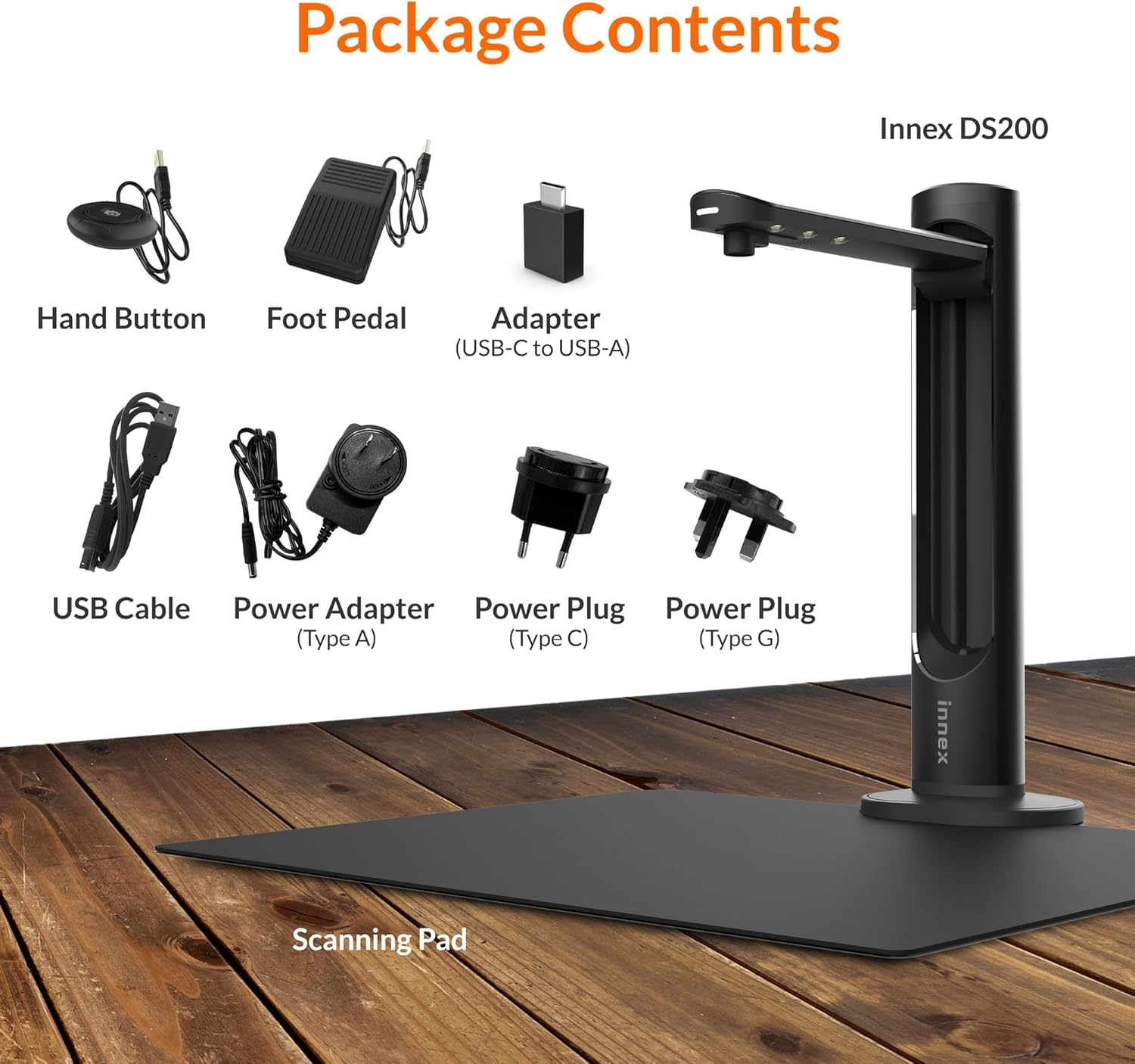
Figure 2.1: Contents of the Innex DS200 package.
3. Настройка
- Разопаковайте компоненти: Внимателно извадете всички елементи от опаковката.
- Позиционирайте скенера: Place the Innex DS200 scanner unit on a stable, flat surface.
- Place the Scanning Pad: Position the black scanning pad directly beneath the scanner head. Ensure it is centered and flat.
- Свържете захранването: Connect the power adapter to the scanner and plug it into an electrical outlet. Use the appropriate power plug for your region.
- Свързване към компютър: Connect the scanner to your computer using the provided USB cable. If your computer only has USB-C ports, use the included USB-C to USB-A adapter.
- Инсталиране на софтуер: Download and install the Innex Scan software from the official Innex website. Follow the on-screen instructions for installation. The software is compatible with Windows and macOS.
- Аксесоари за свързване: Plug in the hand button and foot pedal to the designated ports on the scanner unit.
4. Инструкции за работа
4.1. Основна процедура за сканиране
- Launch Innex Scan Software: Open the Innex Scan application on your computer.
- Място на документа: Place the document or book you wish to scan on the scanning pad. Ensure it is within the scanning area. The laser guide can assist with alignment.
- Коригирайте настройките: In the software, select your desired scanning mode (e.g., Document, Book, Photo) and adjust settings such as color mode, resolution, and output format.
- Започване на сканиране: Trigger the scan using one of the available methods: the software capture button, the hand button, or the foot pedal.
- Review и Запазване: След сканиране, повторноview the image in the software. Apply any necessary corrections and save the file to your preferred location and format.

Figure 4.1: Using the laser guide for document alignment.

Figure 4.2: Multiple options for triggering a scan.
4.2. Функции на софтуера
The Innex Scan software includes several features to optimize your scanning experience:
- Curve Flattening: Automatically corrects the curvature of book pages for flat, readable scans.
- OCR (оптично разпознаване на знаци): Converts scanned images into editable and searchable text in over 120 languages.
- Auto-Cropping: Automatically detects and crops the document edges.
- Page-Turn Detection: For book scanning, the software can detect when a page has been turned and automatically initiate the next scan.
- Finger Removal: Intelligently removes images of fingers holding down pages during scanning.
- Multi Scan Mode: Allows scanning multiple small items simultaneously, such as business cards or photos, and separates them into individual files.
- Visualizer Mode: Enables the scanner to function as a document camera for presentations or live demonstrations.
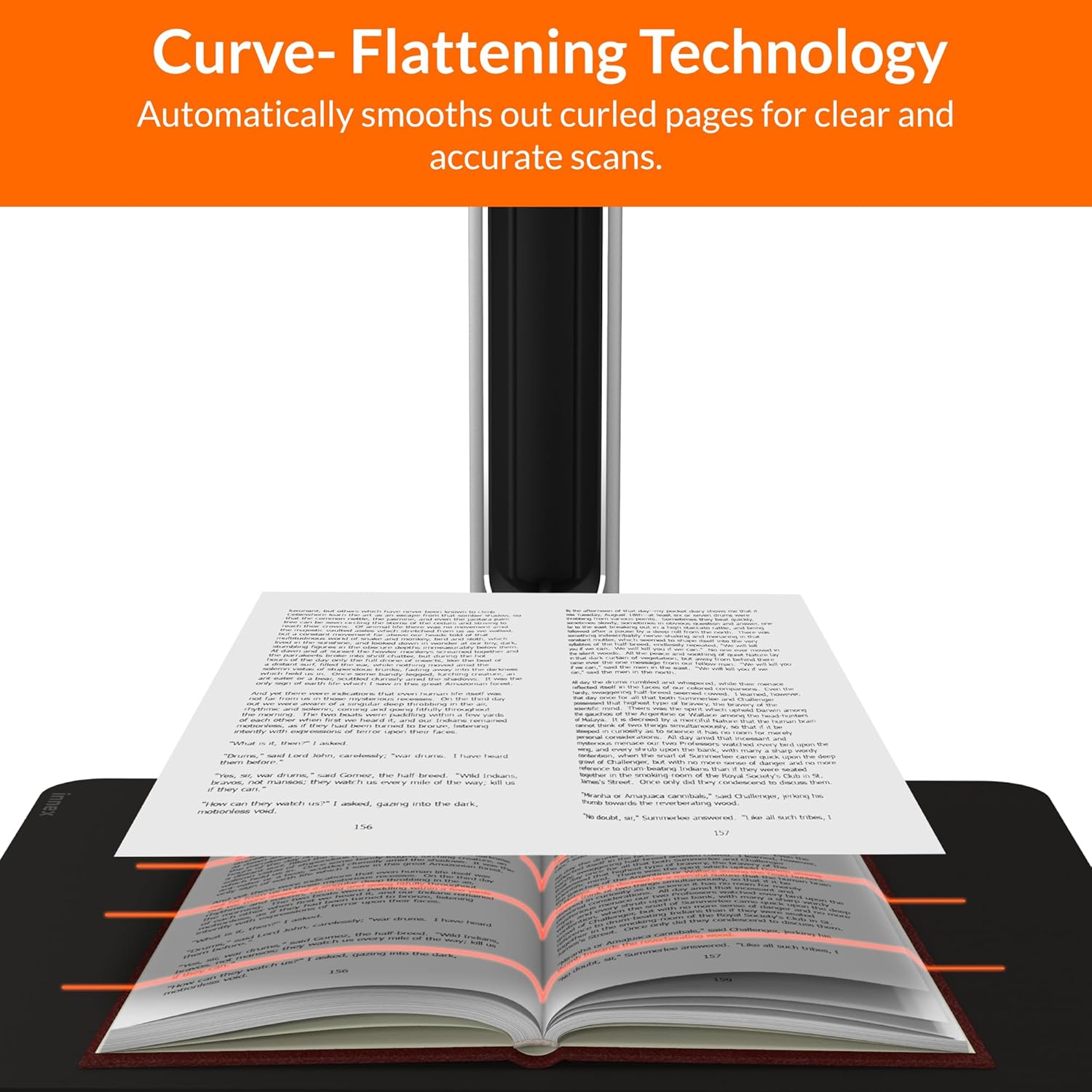
Figure 4.3: Curve Flattening Technology in use.

Figure 4.4: OCR Text Recognition and export options.

Фигура 4.5: Надview of Innex Scan software features.
4.3. Export Options
The Innex DS200 supports various export formats for both image and text files:
- Изображение Files: JPEG, PNG, BMP, TIFF
- Документ Files: PDF (searchable), DOC, EXCEL, TEXT
- Електронна книга Files: EPUB
- аудио Files (Text-to-Speech): MP3, WAV
- видео Files (Visualizer Mode): MP4, AVI, FLV, WMV

Figure 4.6: Available export formats in Innex Scan software.
5. Поддръжка
- Почистване: Regularly wipe the scanner lens and LED lamp with a soft, dry, lint-free cloth to ensure optimal scan quality. Clean the scanning pad with a damp кърпа, ако е необходимо.
- Софтуерни актуализации: Periodically check the official Innex website for software updates to ensure you have the latest features and performance improvements.
- Съхранение: Когато не се използва, съхранявайте скенера на чисто и сухо място, далеч от пряка слънчева светлина и екстремни температури.
6. Отстраняване на проблеми
6.1. Често срещани проблеми и решения
| Издаване | Възможна причина | Решение |
|---|---|---|
| Скенерът не е открит | Loose USB connection, driver issue, power issue | Ensure USB cable is securely connected. Check power connection. Reinstall scanner drivers or software. Try a different USB port. |
| Poor scan quality | Dirty lens, insufficient lighting, incorrect settings, document not flat | Clean the scanner lens. Ensure adequate ambient lighting or use the built-in LED lamp. Adjust resolution and color settings in software. Ensure documents are flat on the scanning pad. |
| Софтуерът се срива или замръзва | Outdated software, system incompatibility, insufficient system resources | Update Innex Scan software to the latest version. Ensure your computer meets minimum system requirements. Close other demanding applications. Restart the software and computer. |
| OCR not working correctly | Poor scan quality, incorrect language setting, complex font | Improve scan quality. Verify the correct OCR language is selected in the software. For highly stylized or handwritten text, OCR accuracy may vary. |
7. Спецификации
Detailed technical specifications for the Innex DS200 scanner:

Figure 7.1: Innex DS200 Technical Specifications.
- модел: DS200
- Сензор за изображение: CMOS сензор
- Макс. Резолюция: 5800 x 4522 пиксела (26MP)
- Output DPI: Approx. 300 dpi (A3)
- Макс. Зона за снимане: A3 (16.77" x 12.59" / 426 x 320mm)
- Дълбочина на цвета: 24-битов
- Lens Focus: Фиксирана
- Скорост на сканиране: 1.5 sec per A3 page
- Тригер за сканиране: Ръчен бутон, педал, софтуерен бутон, автоматично сканиране
- Изходни формати: Picture (JPG, TIFF, BMP, PNG), Document (PDF, Image, PDF Searchable), Text (DOC, EXCEL, TEXT), E-book (EPUB), Audio (MP3, WAV), Video (AVI, MPEG, FLV, WMV)
- Лазерна проекция: Вградена
- Източник на светлина: Вграден LED с висока яркост
- Интерфейс: USB 2.0 Type B x 1 (for PC Connection), USB 2.0 Type-A x 1 (for USB Extension)
- мощност: 5V/2A
- Минимални системни изисквания: Windows 10, 11, macOS 11 or later; Intel i5 Processor or higher; 8GB RAM (Recommended 16GB or more); 20GB Available HDD Space; USB 2.0 Port
- Размери на продукта (сгънат): 4.33"Д x 5.91"Ш x 15.75"В (110 x 150 x 400 мм)
- Product Dimensions (In Use): 12.05"Д x 5.91"Ш x 15.75"В (307 x 150 x 400 мм)
- Нетно тегло: Прибл. 2.64 фунта (1.2 кг)
8. Гаранция и поддръжка
For warranty information and technical support, please refer to the service card included in your package or visit the official Innex website. You can also contact FunTech Innovation, the manufacturer, for assistance.
производител: FunTech Иновации
Webсайт: Innex Official Store on Amazon


