Въведение
Welcome to the user manual for your 4DRC M5 RC Helicopter. This guide provides essential information for safe operation, setup, flight, and maintenance of your new remote control helicopter. Designed for kids aged 8 and up and beginners, the M5 features easy controls, durable construction, and stable flight capabilities.
Мерки за безопасност
- Always operate the helicopter in open spaces, away from people, animals, and obstacles.
- Do not fly near high-voltagлинии, дървета или вода.
- Препоръчва се наблюдение от възрастен за деца.
- Уверете се, че батериите са заредени правилно и че с тях се борави безопасно.
- Не докосвайте въртящите се остриета.
- Turn off the helicopter and remote control when not in use.
Какво има в кутията
- 4DRC M5 RC Helicopter (with one shell installed)
- Дистанционно управление
- 2 x Модулни батерии
- USB кабел за зареждане
- Spare Helicopter Shell (e.g., blue)
- Резервни лопатки на витлото
- Отвертка
- Ръководство на потребителя (този документ)

The 4DRC M5 RC Helicopter package includes the helicopter, remote control, two modular batteries, a USB charging cable, and an additional helicopter shell for customization.
Настройка
1. Зареждане на батериите
The 4DRC M5 helicopter comes with two modular batteries.
- Свържете USB кабела за зареждане към батерията.
- Plug the USB end into a 5V/1A USB power adapter (not included) or a computer USB port.
- The indicator light on the charging cable will illuminate during charging and turn off when fully charged.
- Charging time is approximately 60-90 minutes per battery. Each fully charged battery provides about 10-15 minutes of flight time.
2. Installing Helicopter Battery
Insert a fully charged modular battery into the battery compartment on the underside of the helicopter. Ensure it clicks securely into place.
3. Инсталиране на батерии на дистанционното управление
The remote control requires 3 x AAA batteries (not included).
- Отворете отделението за батерии на гърба на дистанционното управление.
- Insert the batteries, observing the correct polarity (+/-).
- Затворете отделението за батерията.
4. Включване и сдвояване
- Поставете хеликоптера върху равна, хоризонтална повърхност.
- Turn on the helicopter's power switch (usually located on the underside or side). The helicopter's indicator lights will flash.
- Включете дистанционното управление. Индикаторната лампичка на дистанционното управление ще мига.
- To pair, push the left joystick (throttle) all the way up, then pull it all the way down. The helicopter's lights will stop flashing and remain solid, indicating successful pairing.
Важно:
Always pair the helicopter and remote control on a flat surface to ensure proper gyroscope calibration.
Operating Your Helicopter
Основни контроли
| контрол | Действие | функция |
|---|---|---|
| Left Joystick (Throttle) | Натиснете нагоре/надолу | Изкачване/Слизане |
| Left Joystick (Throttle) | Бутнете наляво/надясно | Завъртане наляво/надясно (Yaw) |
| Десен джойстик | Натиснете нагоре/надолу | Полет напред/назад (наклон) |
| Десен джойстик | Бутнете наляво/надясно | Летене наляво/надясно (Търкане) |
| One Key Take-Off/Landing Button | Натиснете | Automatic Take-Off/Landing |
| Бутон за скоростен режим | Натиснете | Switch between Low/High Speed |
| Бутони за подрязване | Натиснете | Adjust for drifting (forward/backward/left/right) |

The remote control features intuitive joysticks and dedicated buttons for easy operation, including one-key functions and speed adjustments.
Излитане/кацане с един ключ
After successful pairing, press the One Key Take-Off/Landing button. The helicopter will automatically ascend to a stable hovering height. Press it again to initiate an automatic gentle landing.

The One Key Take-Off/Landing feature simplifies flight initiation and termination, allowing the helicopter to automatically ascend or descend with a single button press.
Функция за задържане на височината
The M5 helicopter is equipped with advanced barometric pressure technology, allowing it to maintain a stable altitude automatically once it reaches a certain height. This feature makes it easier for beginners to control.

The Altitude Hold function enables the helicopter to maintain a consistent height, providing stable flight and easier control for new pilots.
Режими на скоростта
The helicopter offers two speed modes: Low and High. Press the Speed Mode button on the remote control to switch between them. Low speed is recommended for beginners and indoor flight, while High speed provides more agility for experienced pilots or outdoor use.
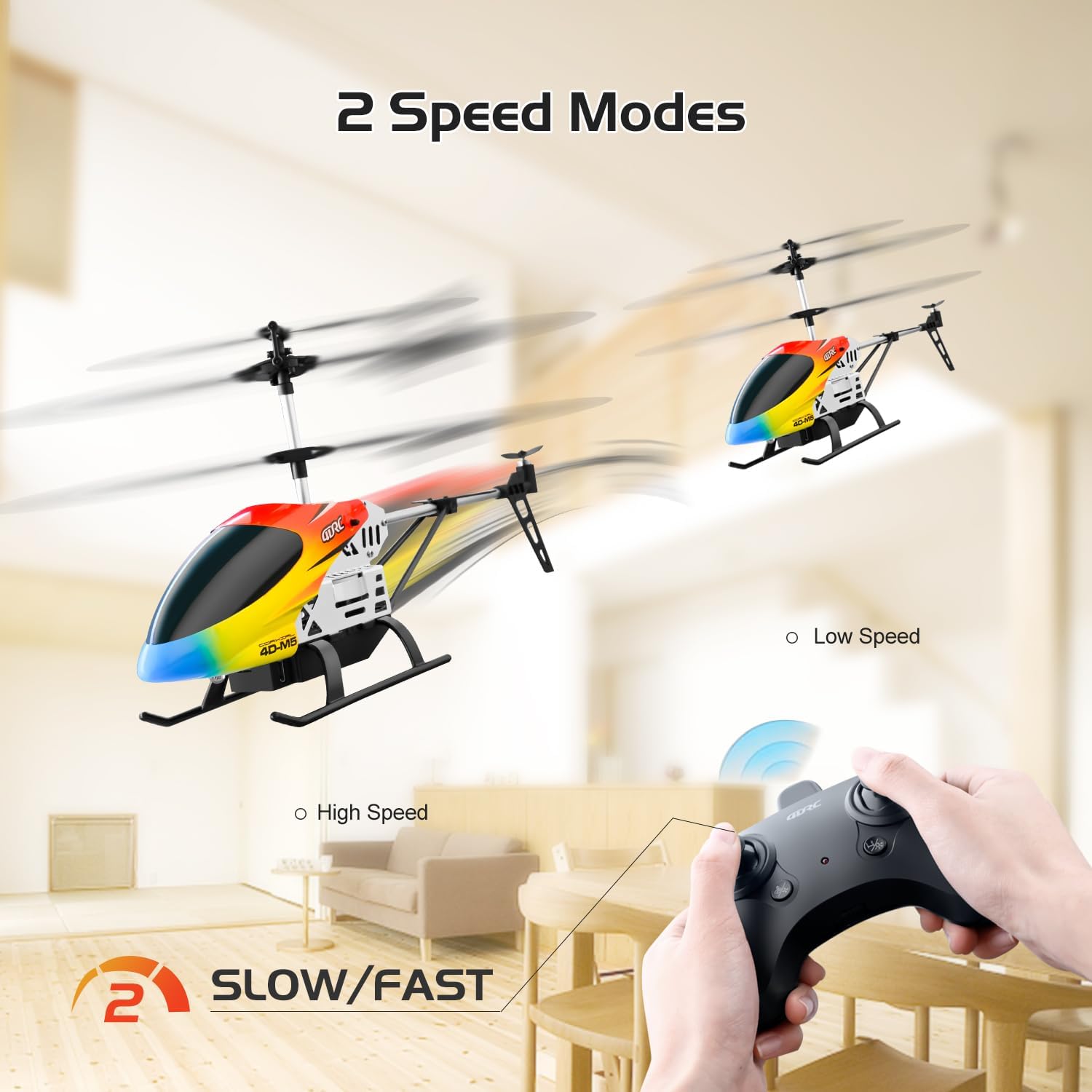
Switch between Low and High speed modes to match your skill level and flying environment, offering versatility for both beginners and more experienced users.
Регулиране на подстригване
If the helicopter drifts in any direction without input, use the trim buttons on the remote control to correct its flight path. For example, if it drifts forward, press the backward trim button until it hovers steadily.
LED светлини
The helicopter features bright LED lights, allowing for visibility and flight even in low-light conditions.
Поддръжка
- Почистване: Wipe the helicopter with a clean, dry cloth. Do not use water or chemical cleaners.
- Грижа за батерията:
- Always remove batteries from the helicopter and remote control when not in use.
- Съхранявайте батериите на хладно и сухо място.
- Не презареждайте и не разреждайте прекалено много батериите.
- If the helicopter will not be used for an extended period, charge the batteries to about 50% before storage.
- Смяна на ножа: In case of damage, replace propeller blades with genuine 4DRC M5 spare parts. Refer to the diagram for correct installation.

The helicopter's durable construction includes easily replaceable parts like propeller blades, ensuring longevity and ease of maintenance.
- Shell Replacement: The helicopter comes with two interchangeable shells. To change the shell, carefully detach the current one and snap the new one into place.

Customize your helicopter's appearance by easily swapping between the two included body shells.
Отстраняване на неизправности
| проблем | Възможна причина | Решение |
|---|---|---|
| Хеликоптерът не реагира | Not paired; Low battery (helicopter/remote); Power switch off | Re-pair; Charge/replace batteries; Turn on power |
| Helicopter drifts | Not trimmed; Uneven surface during pairing | Use trim buttons; Re-pair on flat surface |
| Weak flight/Short flight time | Low battery; Damaged blades | Fully charge batteries; Replace damaged blades |
| Остриетата не се въртят | Obstruction; Motor issue | Check for obstructions; Contact support |
| Дистанционното не работи | Low battery; Not paired | Replace batteries; Re-pair |
Спецификации
- модел: M5
- марка: 4DRC
- Размери: 6.2 x 3.5 x 12 инча
- Тегло: 10.5 унции
- Контролна честота: 2.4 GHz
- Контролно разстояние: Приблизително 80 метра
- Време на полета: 10-15 minutes per battery (2 batteries included)
- Тип батерия: Modular (included)
- Батерии за дистанционно управление: 3 x AAA (не са включени)
- Препоръчителна възраст: 8 години и нагоре
- Характеристики: Altitude Hold, One Key Take-Off/Landing, 2 Speed Modes, LED Lights, Durable Alloy Body, Interchangeable Shells.
Гаранция и поддръжка
For warranty information, technical support, or replacement parts, please contact 4DRC customer service. Refer to the product packaging or the official 4DRC webсайт за данни за контакт.


