1. Въведение
Thank you for choosing the Baseus Nomos 160W 5-in-1 Charging Station. This device is designed to provide a comprehensive and efficient charging solution for multiple electronic devices, including laptops, tablets, and smartphones. Featuring GaN technology, Qi2 certified wireless charging, and a retractable cable, it aims to simplify your charging experience and declutter your workspace.
Моля, прочетете внимателно това ръководство, преди да използвате продукта, за да осигурите правилната му работа и да увеличите максимално живота му. Запазете това ръководство за бъдещи справки.
2. Продуктът свършиview
The Baseus Nomos 160W Charging Station integrates multiple charging technologies into a compact design:
- 160W Обща мощност: Efficiently charges up to five devices simultaneously.
- Qi2 Certified 15W Magnetic Wireless Charger: Provides fast and precise magnetic alignment for compatible iPhones (12-16 series).
- 100W Retractable USB-C Cable: Built-in 80cm (2.6ft) braided cable for convenient and tidy charging.
- Множество портове: Includes 3 USB-C ports and 1 USB-A port for versatile connectivity.
- GaN технология: Ensures high efficiency and a compact form factor.
- BPS3.0 Smart Power Allocation: Intelligently distributes power to connected devices for optimal charging speed and safety.
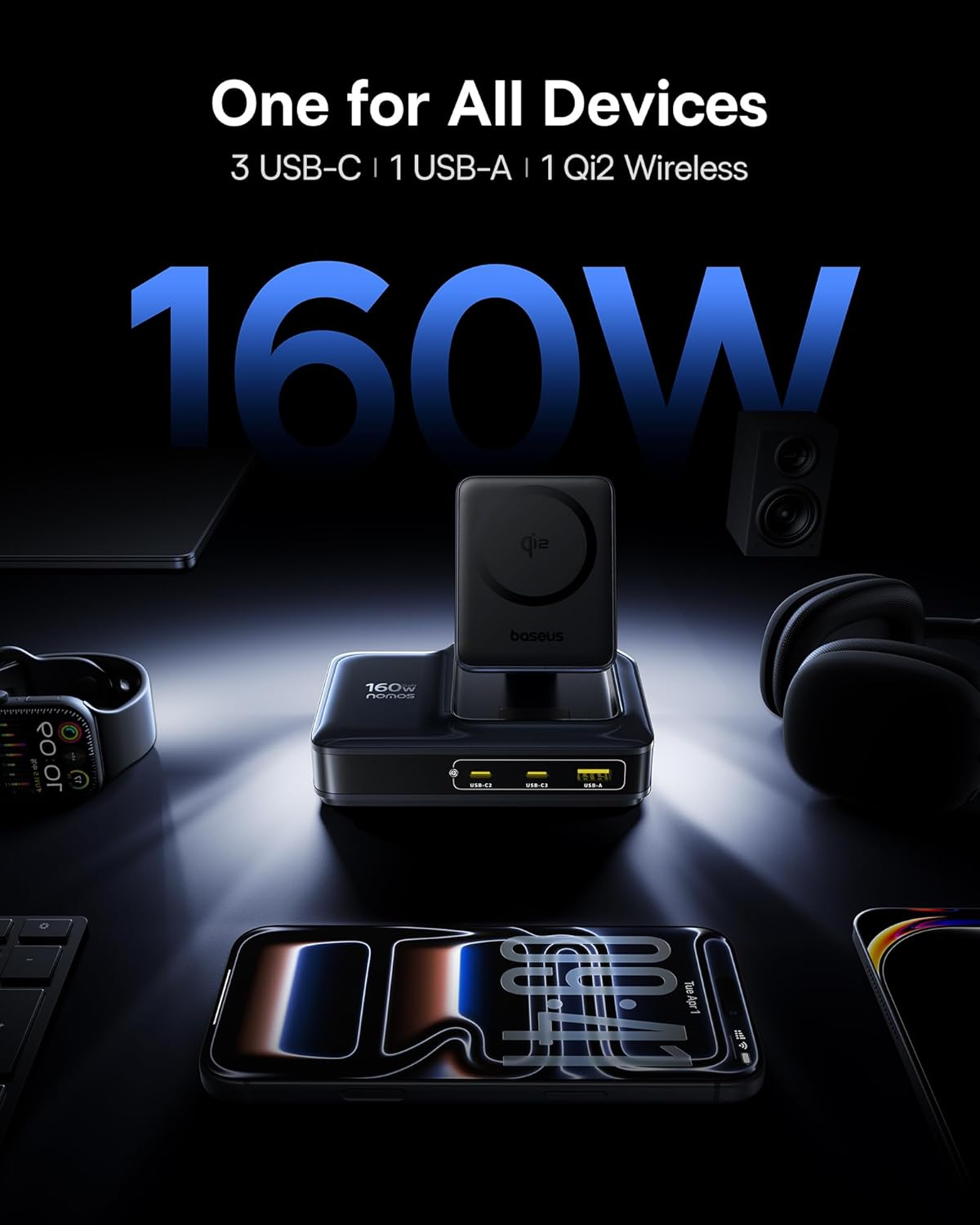
Image: The Baseus Nomos 160W Charging Station shown powering a laptop, tablet, smartphone, and earbuds simultaneously, demonstrating its multi-device charging capability.
3. Инструкции за настройка
- Разопаковайте устройството: Carefully remove the charging station and any included accessories from its packaging.
- Свързване към захранване: Plug the provided AC power cord into the charging station's power input, then connect the other end to a standard wall outlet.
- Позициониране: Place the charging station on a stable, flat surface. Ensure adequate ventilation around the device. The anti-slip silicone pad on the bottom helps secure its position.
- Прибиращ се кабел: To use the built-in retractable USB-C cable, gently pull it out to the desired length (up to 80cm / 2.6ft). To retract, pull the cable again slightly, and it will smoothly coil back into the station.
- Стойка за безжично зареждане: The Qi2 wireless charging pad can be adjusted for optimal viewing angles. Simply tilt the magnetic pad to your preferred position.

Image: The Baseus Nomos 160W Charging Station showcasing its integrated retractable USB-C cable, extended for use, highlighting its cable management feature.
4. Инструкции за работа
The Baseus Nomos Charging Station is designed for intuitive use. Simply connect your devices to the appropriate ports or place them on the wireless charging pad.
4.1 Wired Charging (USB-C & USB-A)
- USB-C портове: Connect your USB-C compatible devices (laptops, tablets, phones) to the USB-C1, USB-C2, or USB-C3 ports. USB-C1 supports up to 100W, while USB-C2/C3 can deliver up to 140W each when used individually.
- USB-A порт: Connect your USB-A compatible devices to the USB-A port. This port supports up to 18W.
- Прибиращ се кабел: Utilize the built-in retractable USB-C cable for convenient charging of compatible devices.
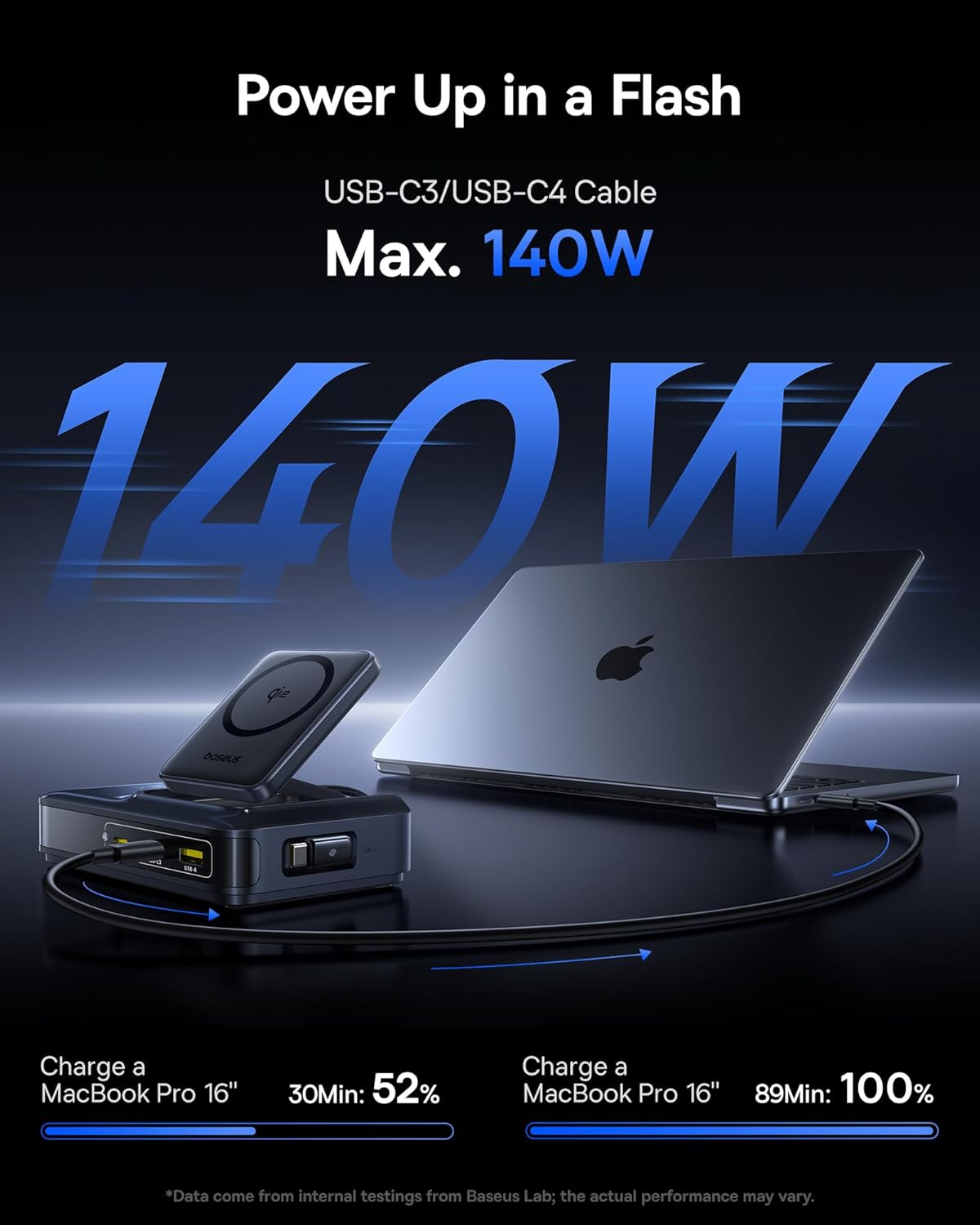
Image: A MacBook Pro 16-inch being charged by the Baseus Nomos 160W Charging Station via a USB-C cable, illustrating its high-power output capability.
4.2 Wireless Charging (Qi2)
- Разположение: Place your Qi2-compatible iPhone (12-16 series) onto the magnetic wireless charging pad. The magnets will automatically align your device for optimal charging.
- Съвместимост на кутията: The wireless charger is compatible with phone cases up to 3mm thick.
- Индикатор за зареждане: The device will indicate when wireless charging is active (e.g., via a light indicator or on your phone screen).

Image: An iPhone being wirelessly charged on the magnetic pad of the Baseus Nomos 160W Charging Station, demonstrating the Qi2 fast wireless charging feature.
4.3 Smart Power Allocation (BPS3.0)
The charging station features BPS3.0 technology, which intelligently detects the power requirements of each connected device and allocates the optimal power output. This ensures efficient and safe charging across all ports simultaneously, preventing overcharging or damage.
Video: An official product video from Baseus Brand Store demonstrating the 160W Charging Station's features and capabilities.
5. Функции за безопасност
The Baseus Nomos Charging Station incorporates multiple safety mechanisms to protect your devices and the charger itself:
- Защита от свръх ток: Предпазва от повреди от прекомерен ток.
- Over-Voltage Защита: Гаранции срещу самозванствоtagд шипове.
- Защита от късо съединение: Автоматично прекъсва захранването в случай на късо съединение.
- Защита от прегряване: Следи и регулира вътрешната температура, за да предотврати прегряване.

Изображение: Експлодирала view of the Baseus Nomos 160W Charging Station, illustrating the GaN chip and various internal components responsible for its efficient and safe operation, including icons for over-current, over-voltage, защита от късо съединение и прегряване.
6. Поддръжка
- Почистване: Disconnect the charging station from the power outlet before cleaning. Use a soft, dry cloth to wipe the surface. Do not use liquid cleaners or aerosols.
- Съхранение: Когато не се използва за продължителни периоди, съхранявайте устройството на хладно и сухо място, далеч от пряка слънчева светлина и влага.
- Грижа за кабела: Avoid excessive force when pulling or retracting the built-in cable. Ensure the cable is not kinked or pinched.
- Избягвайте препятствията: Do not block the ventilation openings on the charging station, as this can lead to overheating.
7. Отстраняване на проблеми
- Устройството не се зарежда:
- Уверете се, че зарядната станция е правилно включена в контакта.
- Проверете дали кабелът за зареждане е здраво свързан както към зарядната станция, така и към вашето устройство.
- Verify that your device is compatible with the charging port or wireless charging standard.
- Try a different cable or port to rule out a faulty connection.
- Бавно зареждане:
- Confirm your device supports fast charging protocols (e.g., PD3.1, QC4, PPS) and that you are using a compatible cable.
- The charging station intelligently allocates power. If multiple high-power devices are connected, the output to individual ports may be adjusted.
- For wireless charging, ensure proper alignment of your device on the pad and that your phone case is not too thick (max 3mm).
- Прегряване:
- Уверете се, че зарядната станция има адекватна вентилация и не е покрита.
- If the device feels excessively hot, disconnect it from power and all devices immediately. Contact support if the issue persists.
- Прибиращият се кабел не работи:
- Gently pull the cable again to trigger the retraction mechanism.
- Ensure there are no obstructions preventing the cable from retracting.
8. Спецификации
| Характеристика | детайл |
|---|---|
| Номер на модела | E01217 |
| Обща продукция | 160W |
| USB-C1 изход | До 100W |
| USB-C2/C3 изход | Up to 140W (each, when used individually) |
| Изход USB-A | До 18W |
| Безжично зареждане Qi2 | 15W |
| Дължина на прибиращия се кабел | 80 см (2.6 фута) |
| Входен обемtage | 240 волта |
| Размери | 8.43 x 6.69 x 2.44 инча |
| Тегло на артикула | 1.87 паунда |
| Съвместими устройства | iPhone 12-17 series, Galaxy S20-24, OnePlus 8 Pro, Google Pixel 6-8, Sony Xperia 5, iPad, Air Pods 2-3, MacBook Pro 2023, Lenovo ThinkPad T14, Dell XPS 13, and more. |
9. Гаранция и поддръжка
Baseus products are manufactured to high-quality standards. This product is covered by a manufacturer's warranty against defects in materials and workmanship from the date of purchase. The specific warranty period may vary by region and retailer.
For warranty claims, technical support, or product inquiries, please contact the retailer where you purchased the product or visit the official Baseus webсайт за информация за обслужване на клиенти.
Онлайн помощ: www.baseus.com
Моля, запазете доказателството си за покупка за целите на гаранцията.


