Въведение
Thank you for choosing the ProtoArc KM310 Wireless Mechanical Keyboard and Mouse. This combo offers a responsive typing experience with low-profile linear red switches and versatile multi-device connectivity. The ergonomic mouse is designed for comfort and precision. This manual provides detailed instructions for setup, operation, maintenance, and troubleshooting to ensure optimal performance.
Какво има в кутията

Image: Contents of the ProtoArc KM310 package, including the keyboard, mouse, charging cable, and user manual.
- Безжична механична клавиатура ProtoArc KM310
- Безжична мишка ProtoArc
- USB-C кабел за зареждане
- Ръководство за потребителя
Продуктът е свършилview
Функции на клавиатурата

Изображение: Близък план view of the ProtoArc KM310 keyboard, highlighting its low-profile keys and linear red switches.
- Нископрофесионаленfile Механични ключове: Equipped with linear red switches for a smooth, quiet, and responsive typing experience.
- Aluminum Top Case: Provides durability and a sleek, modern aesthetic.
- Регулируеми наклонени крака: Ergonomically designed with 2-stage foot mats offering 6° and 9° tilt options for comfortable typing.
- Оформление в пълен размер: A 108-key layout suitable for office and business use.
Характеристики на мишката

Image: The ProtoArc KM310 mouse being held, showcasing its ergonomic design for a natural grip.
- 63G Ultra-Lightweight: Reduces hand fatigue during extended use and enhances portability.
- Ергономичен дизайн: Contoured shape for a comfortable and natural grip.
- Регулируем DPI: Three DPI levels (1000/1600/2400) for tailored control and precision.
- Безшумен клик: Проектиран за тиха работа.
- Бутони за напред/назад: Integrated for seamless browsing.
Свързване и мощност
- Свързване на множество устройства: Connects up to 3 devices via 2.4G USB receiver or Dual Bluetooth (BT1, BT2).
- Акумулаторна: Both keyboard and mouse feature Type-C charging. The mouse's USB receiver is stored on its bottom.
- Дълъг живот на батерията: Up to 150-200 days standby time; 2-3 hours for a full charge.
Инструкции за настройка
1. Зареждане на устройствата

Image: The keyboard and mouse are shown connected to power sources via USB-C cables for charging.
- Connect the provided USB-C charging cable to the charging port on the keyboard (located on the top edge) and the mouse (located on the front edge).
- Включете другия край на кабела в USB източник на захранване (например USB порт на компютър, USB адаптер за стена).
- The indicator lights will show charging status. Allow 2-3 hours for a full charge.
2. Свързване към устройства

Image: A desk setup showing the ProtoArc KM310 keyboard and mouse connected to a laptop, monitor, and tablet, illustrating multi-device capability.
The KM310 combo supports three connection modes: 2.4G wireless via USB receiver, Bluetooth 1 (BT1), and Bluetooth 2 (BT2).
2.1. 2.4G безжична връзка
- Намерете USB приемника, съхраняван в отделението на долната част на мишката.
- Включете USB приемника в наличен USB порт на вашия компютър.
- Включете клавиатурата и мишката, като използвате съответните им превключватели за захранване.
- The devices should connect automatically.
2.2. Bluetooth връзка (BT1 / BT2)
- Включете клавиатурата и мишката.
- На клавиатурата натиснете BT1 or BT2 key (usually located on the number pad, indicated by orange keycaps) to select the desired Bluetooth channel. The indicator light will flash.
- On your device (computer, tablet, etc.), go to Bluetooth settings and search for "ProtoArc KM310 Keyboard" and "ProtoArc KM310 Mouse".
- Select the devices to pair. The indicator light will stop flashing once connected.
- Repeat for a second Bluetooth device using the other BT channel.
2.3. Превключване между устройства
To switch between connected devices, simply press the corresponding connection key on the keyboard (2.4G, BT1, or BT2) and the channel switch button on the bottom of the mouse.
Инструкция за работа
Използване на клавиатурата
- Въвеждане: Нископрофесионалниятfile linear red switches provide a responsive and quiet typing experience.
- Съвместимост с операционна система: The keyboard is compatible with Windows and Mac OS. Keys like 'Win' and 'Alt' also show 'Option' and 'Cmd' for Mac users.
- Регулиране на наклона: Use the adjustable tilt legs on the underside of the keyboard to set your preferred typing angle (6° or 9°).
Използване на мишката
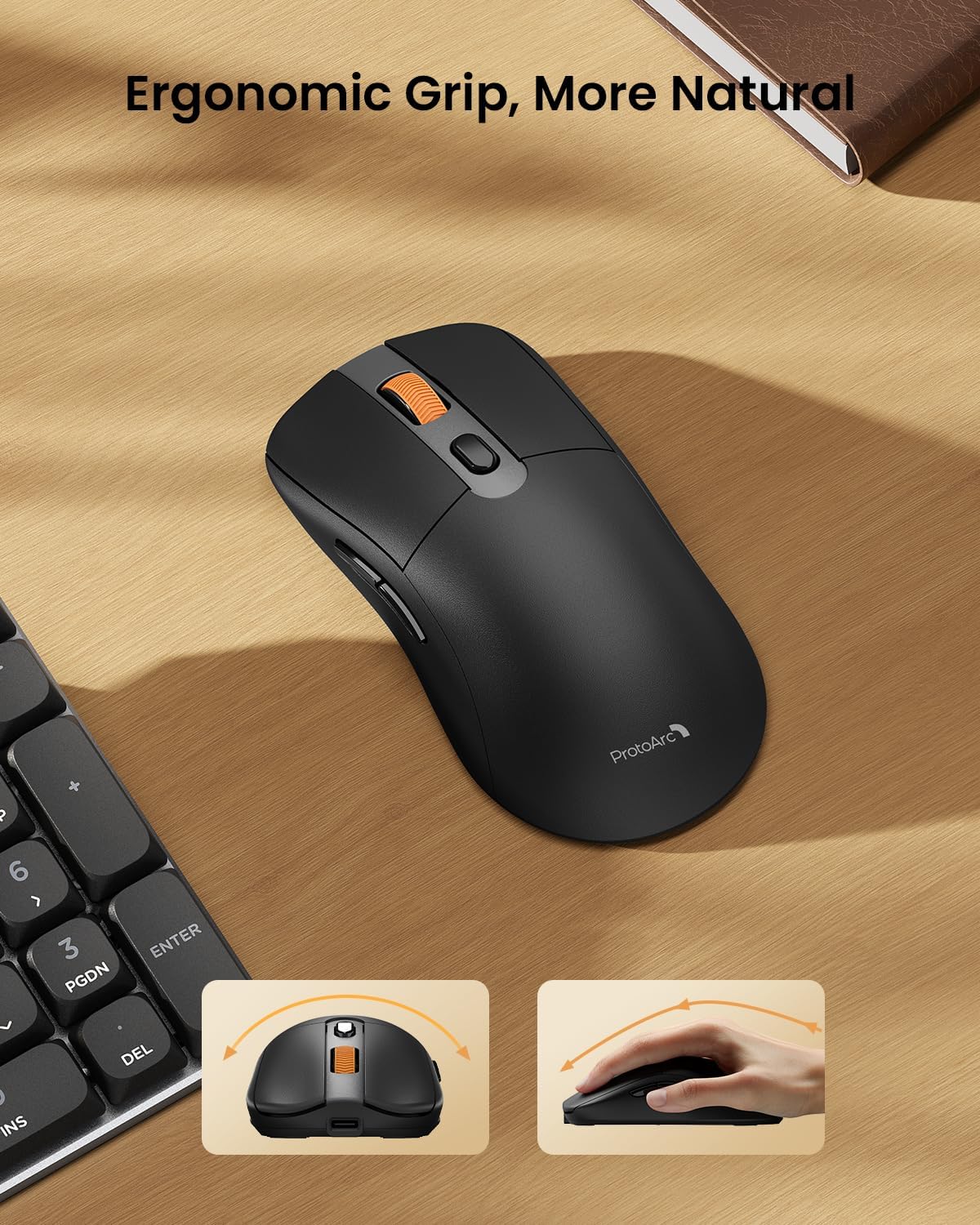
Image: A close-up of the ProtoArc KM310 mouse, illustrating the three adjustable DPI settings (1000, 1600, 2400).
- DPI настройка: Press the DPI switch button (usually located near the scroll wheel) to cycle through the 3 DPI levels (1000/1600/2400) to match your preference for cursor speed and precision.
- Бутони за навигация: Use the forward and backward buttons on the side of the mouse for quick navigation in web браузъри или file изследователи.
- Безшумни кликвания: The mouse features silent click buttons for a quiet working environment.
Поддръжка
- Почистване: Използвайте мека, суха кърпа, за да избършете клавиатурата и мишката. За упорити замърсявания, лекоamp Може да се използва кърпа с мек сапун, като се уверите, че в устройството не попада течност.
- Грижа за батерията: Recharge the devices when the battery indicator is low. Avoid prolonged exposure to extreme temperatures.
- Съхранение: When not in use for extended periods, turn off the devices to conserve battery life. Store the USB receiver inside the mouse to prevent loss.
Отстраняване на неизправности
Keyboard/Mouse Not Turning On or Stopping Working
- Проверка на батерията: Ensure both the keyboard and mouse are sufficiently charged. Connect them to a power source using the USB-C cable.
- Ремонт на устройства:
- For 2.4G connection, ensure the USB receiver is securely plugged in and the devices are set to 2.4G mode.
- For Bluetooth connection, ensure the devices are set to the correct BT channel (BT1 or BT2) and re-pair them through your device's Bluetooth settings.
- Опитайте с различен кабел: If charging issues persist, try using a different USB-C cable to rule out a faulty cable.
- смущения: Move the devices closer to your computer or away from other wireless devices that might cause interference.
- Свържете се с поддръжката: If the issue persists, please contact ProtoArc customer support for further assistance.
Спецификации
| Номер на модела | KM310 |
| Марка | ProtoArc |
| Цвят | Космическо сиво |
| Технология за свързване | Bluetooth, USB (2.4G Wireless) |
| Специални функции | Нисък Profile Keys, Linear Red Switches, Ergonomic Design, Ultra-Light Mouse, Ergonomic Mouse |
| Съвместими устройства | Laptop, Personal Computer, Tablet (Windows 7/8/10, Mac OS X 10.12, Android 4.3 or higher) |
| Тегло на артикула | 2.31 паунда |
| Размери на опаковката | 17.68 x 8.07 x 2.05 инча |
Гаранция и поддръжка
The ProtoArc KM310 Mechanical Keyboard and Mouse combo comes with a 2-годишна гаранция.
For any questions, technical support, or warranty claims, please contact ProtoArc customer service:
- Имейл: support@protoarc.com
- телефон: +1 866-287-8188
Официално видео на продукта
Видео: Официално видео представяне на продуктаasing the features and design of the ProtoArc KM310 Aluminum Mechanical Keyboard and Mouse.


