Въведение
Благодаря за покупкатаasing the Klipsch ProMedia Lumina 2.1 Computer Gaming Speaker System. This manual provides essential information for setting up, operating, and maintaining your new speaker system to ensure optimal performance and longevity. The ProMedia Lumina system is designed to deliver powerful audio with deep bass and customizable RGB lighting, enhancing your gaming, music, and movie experiences.
Информация за безопасност
Моля, прочетете всички инструкции за безопасност, преди да използвате този продукт. Запазете това ръководство за бъдещи справки.
- Източник на захранване: Connect the system only to the type of power source indicated on the marking label.
- Вентилация: Ensure proper ventilation around the speakers and subwoofer. Do not block any ventilation openings.
- Вода и влага: Do not expose the system to water, rain, or moisture. Do not place objects filled with liquids on the system.
- Топлина: Keep the system away from heat sources such as radiators, heat registers, stoves, or other apparatus that produce heat.
- Почистване: Почиствайте само със суха кърпа.
- Обслужване: Не се опитвайте сами да обслужвате този продукт. Обърнете цялото обслужване към квалифициран сервизен персонал.
Съдържание на пакета
Проверете дали всички артикули са налични във вашия пакет:
- 1 x Klipsch ProMedia Lumina Subwoofer
- 2 x Satellite Speakers (Left and Right)
- 1 x Bluetooth Speaker (This is listed as "Included Components" in the product data, but typically refers to the system's Bluetooth capability rather than a separate speaker unit. The system itself has Bluetooth functionality.)
- Захранващ кабел
- Speaker Connection Cables
- USB-C кабел
- 3.5 мм AUX кабел
- Ръководство на потребителя (този документ)
Продуктът е свършилview
The Klipsch ProMedia Lumina system consists of a powerful subwoofer and two satellite speakers, designed for a rich 2.1 audio experience. The system features integrated controls and multiple connectivity options.

Фигура 1: The complete Klipsch ProMedia Lumina 2.1 speaker system, showing the central subwoofer unit flanked by two satellite speakers. The speakers are black with silver accents and sit on small stands.
Сателитни високоговорители
The two satellite speakers feature a re-envisioned cabinet design with tiltable stands for optimal sound projection. They are equipped with Microtractrix horn tweeters for pinpoint clarity.
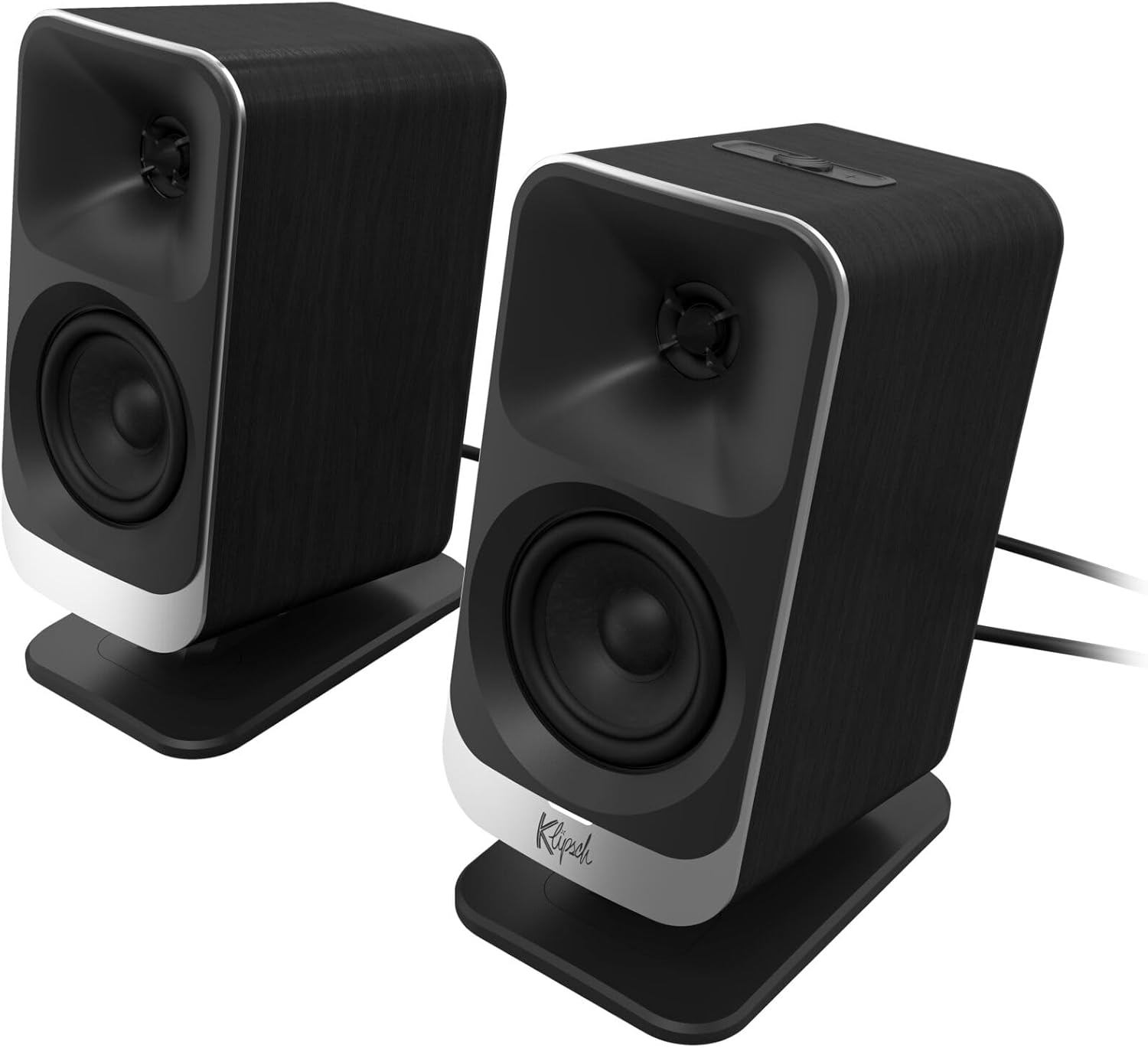
Фигура 2: Близък план отпред view of the two Klipsch ProMedia Lumina satellite speakers, highlighting their black finish, silver base, and speaker cones.

Фигура 3: Задна част view of the two Klipsch ProMedia Lumina satellite speakers, showing the various ports and controls on their back panels. The left speaker has a settings button and a headphone jack, while the right speaker has a USB-C port and a power/Bluetooth button.
Субуфер
Нископрофесионалниятfile subwoofer delivers powerful low-end punch. It features an adjustable gain knob and cable management design for minimal floor space and maximum impact.
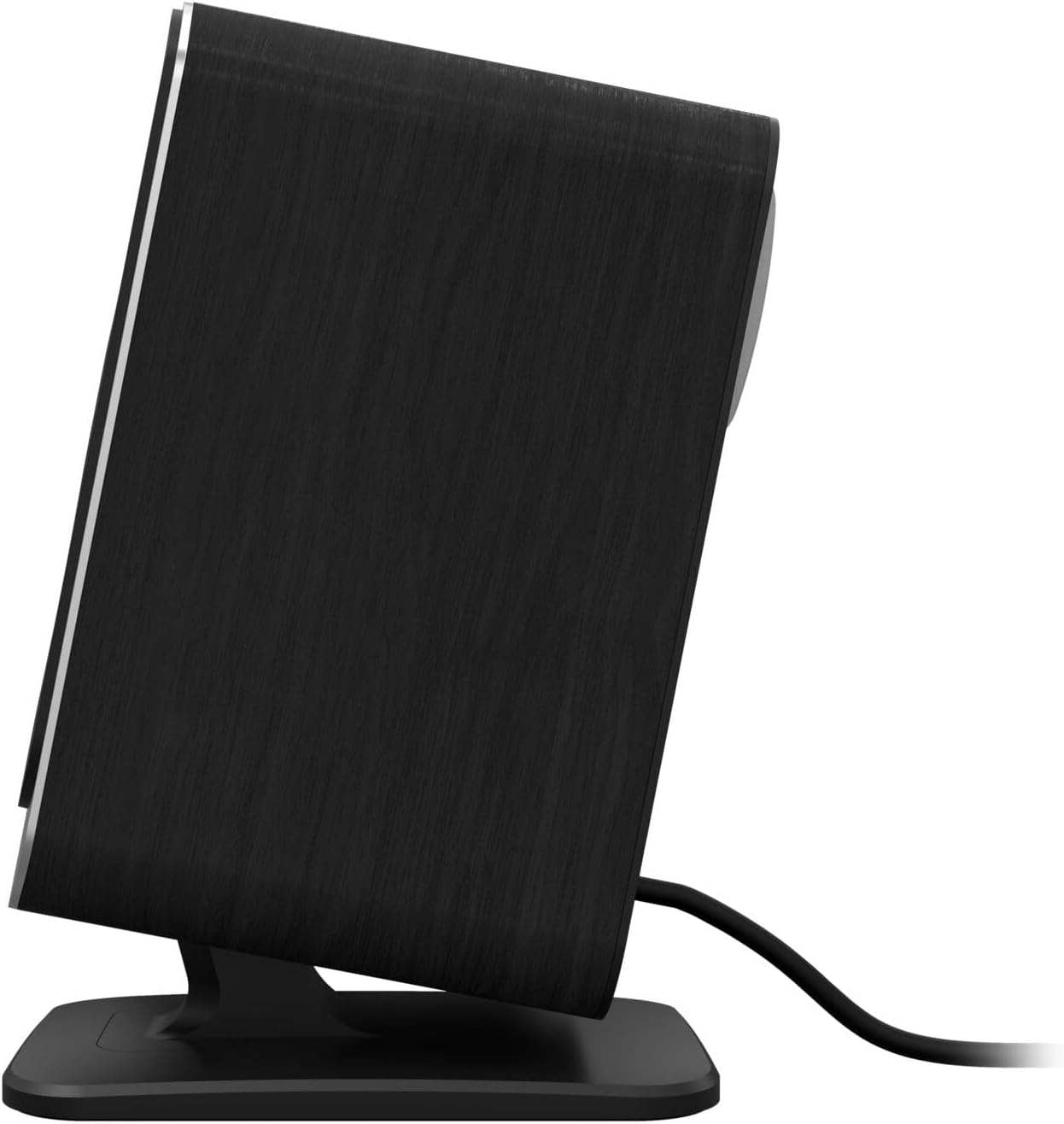
Фигура 4: страна view of the Klipsch ProMedia Lumina subwoofer, showcasing its compact design and textured black finish.
Видео 1: An official product video from Klipsch showcasing the ProMedia Lumina Computer Speakers with LED Lighting. The video highlights the design and lighting features of the speaker system.
Настройка
Follow these steps to set up your Klipsch ProMedia Lumina speaker system:
- Разположение: Place the subwoofer on the floor or a sturdy surface near your computer. Position the satellite speakers on either side of your monitor, ensuring they are at ear level for the best audio experience.
- Свържете сателитни високоговорители: Connect the left and right satellite speakers to the corresponding outputs on the back of the subwoofer using the provided speaker cables. Ensure a secure connection.
- Свързване към аудио източник:
- USB-C: Connect the USB-C cable from your computer to the USB-C input on the right satellite speaker.
- AUX (3.5 мм): Connect the 3.5mm AUX cable from your audio source (e.g., computer, smartphone) to the AUX input on the left satellite speaker.
- Bluetooth: For wireless connection, ensure Bluetooth is enabled on your device and the speaker system. Press and hold the power/Bluetooth button on the right satellite speaker to enter pairing mode. Select "Klipsch ProMedia Lumina" from your device's Bluetooth settings.
- Захранване: Свържете захранващия кабел към субуфера и след това го включете в контакта.
- Включване: Press the power/Bluetooth button on the right satellite speaker to turn on the system.

Фигура 5: The Klipsch ProMedia Lumina speaker system integrated into a gaming desktop setup, showing the satellite speakers flanking a monitor and the subwoofer placed discreetly.
Оперативен
Once your system is set up, you can begin enjoying your audio. The main controls are located on the subwoofer and the right satellite speaker.
Основни контроли
- Обем: Use the volume knob on the subwoofer to adjust the overall sound level.
- Високи/бас: Adjust the treble and bass knobs on the subwoofer to fine-tune your audio preferences.
- Избор на вход: Use the input button (if available on the subwoofer or remote) to switch between connected sources (USB-C, AUX, Bluetooth).
Klipsch Control App
Enhance your experience with the Klipsch Control desktop app, available on all app stores. The app allows for precision command over various settings:
- Персонализиране на EQ: Adjust equalization settings to match your audio content.
- Режими на осветление: Customize RGB lighting effects, including night mode and music react mode.
- Контрол на функциите: Достъп до допълнителни функции и настройки за персонализирано аудио.

Фигура 6: A laptop screen displaying the Klipsch Control App interface, with a satellite speaker visible next to it, illustrating the app's role in customizing the speaker system.

Фигура 7: The rear of the Klipsch ProMedia Lumina satellite speakers displaying different customizable light patterns, showcasing the RGB lighting effects.
Поддръжка
To ensure the longevity and optimal performance of your Klipsch ProMedia Lumina system, follow these maintenance guidelines:
- Почистване: Use a soft, dry cloth to clean the surfaces of the speakers and subwoofer. Avoid using abrasive cleaners, waxes, or solvents.
- Прах: Regularly dust the speaker grilles and vents to prevent dust buildup, which can affect sound quality and ventilation.
- Управление на кабели: Keep cables organized and untangled to prevent damage and ensure a tidy setup.
- Условия на околната среда: Избягвайте излагането на системата на екстремни температури, висока влажност или пряка слънчева светлина.
Отстраняване на неизправности
If you encounter any issues with your speaker system, refer to the following common troubleshooting steps:
| проблем | Решение |
|---|---|
| Няма звук |
|
| Static or Distortion |
|
| Проблеми с Bluetooth сдвояването |
|
Спецификации
| Характеристика | детайл |
|---|---|
| Име на модела | Klipsch ProMedia Lumina |
| Номер на модела на артикул | 1073625 |
| Тип високоговорител | Компютърна високоговорител |
| Режим на аудио изход | Съраунд |
| Технология за свързване | Bluetooth (5.3), USB-C, AUX (3.5mm) |
| Специална функция | LED Light (Customizable RGB) |
| Максимална изходна мощност на високоговорителя | 10 вата |
| Честотна характеристика | 20 Hz |
| Размери на продукта | 6.5" Д x 4" Ш x 9.75" В |
| Тегло на артикула | 13.1 паунда |
| Цвят | черен |
Гаранция и поддръжка
Klipsch products are designed for years of enjoyment. For warranty information and technical support, please refer to the official Klipsch webсайта или се свържете с отдела за обслужване на клиенти. Запазете доказателството си за покупка за евентуални гаранционни претенции.


